

Corten Courtyard Office Building: Exploring AI Assisted Design
This article is designed as a practical prompt-training exercise for architects and design students exploring AI workflows.
The approach is intentionally simple: begin with a single, well-defined project image, then use Gemini 3.1 Pro to systematically generate the remaining views — one at a time. Instead of relying on randomness, the process focuses on controlled iteration, where each output builds on a clear visual foundation.
Effective prompting doesn’t require complexity. What matters is clarity.
A strong prompt clearly defines three things:
what elements must remain consistent
what new view or transformation is required
what visual style, mood, or representation is expected
The examples in this post follow that exact structure, making it easier to understand how to guide AI tools with precision rather than trial and error.
The goal is not just to generate images, but to develop a repeatable workflow — one that gives architects greater control over design exploration, visualization, and presentation.

Main Source Image
This images train the AI to keep the same building language while changing the viewpoint, scale, and city context.

Aerial context and terrace network:
Using Corten Courtyard Office Building 07.png as the base image, generate an aerial urban context view of the project. Maintain the Corten-and-white architectural identity, show surrounding streets and neighboring buildings, and make the planted roof terraces and courtyard structure readable from above.
Facade panel kit and assembly logic:
Using Corten Courtyard Office Building 07.png as the source, create a technical facade assembly diagram. Break down the system into corten modules, glass facade, perforated panels, operable shutters, signage frame, white upper volume, and public plaza connection.

Facade close-up and public edge:
From the attached base image, create a close street-corner perspective that explains how the corten facade meets the public plaza. Keep the white office volume, deep facade shadows, planted terraces, signage, clean paving, and realistic architectural photography mood.

Workspace opening toward the courtyard:
Using Corten Courtyard Office Building 07.png as the base image, generate an interior workspace scene inside the office building. Keep corten fins, warm wood tones, glass partitions, courtyard planting, desks, monitors, and architects working near the window line. The interior should feel connected to the courtyard outside.

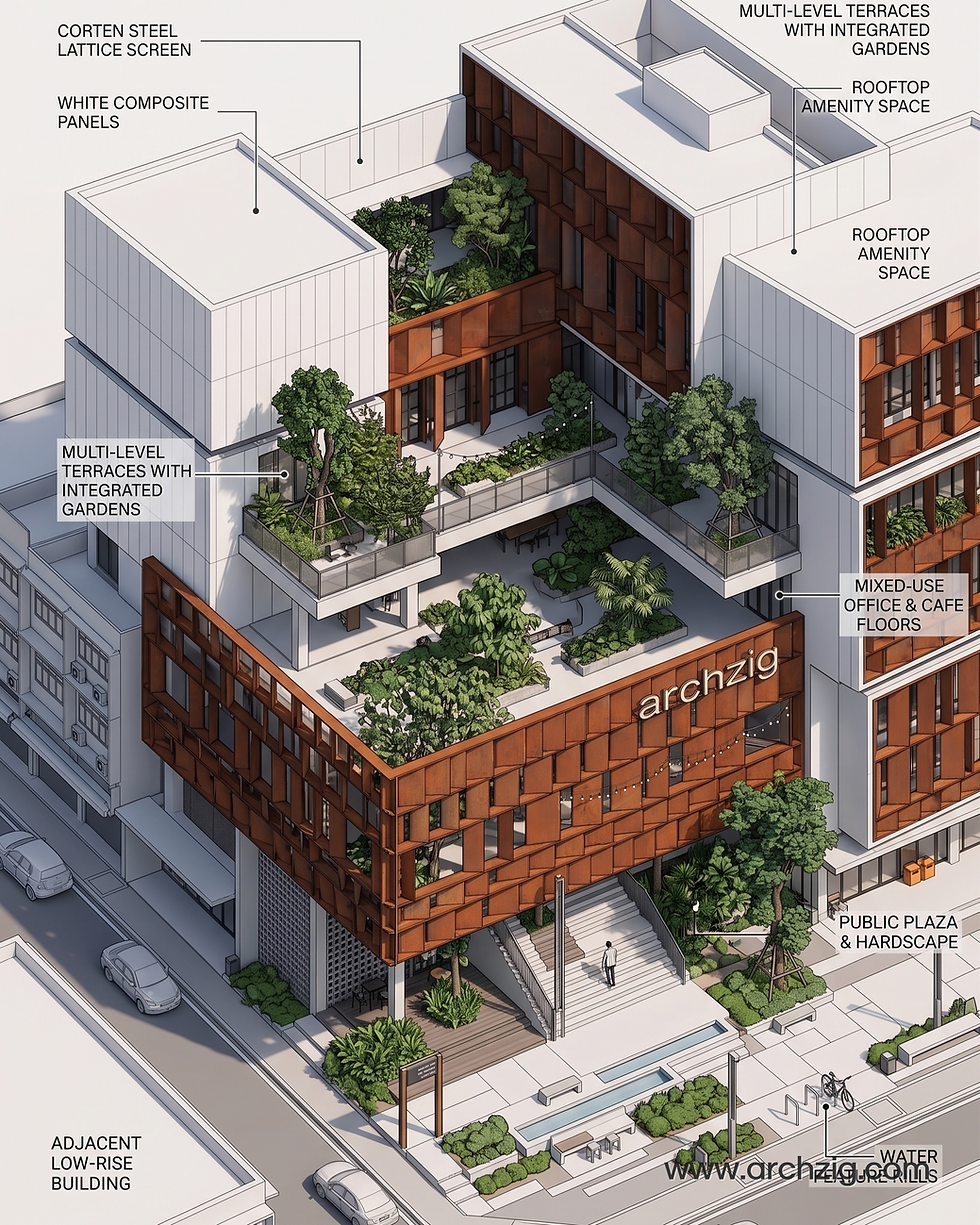
Annotated massing and program axonometric:
Convert Corten Courtyard Office Building 07.png into a clean architectural axonometric diagram. Label the corten steel facade, white concrete office mass, public plaza, landscape terraces, rooftop amenity, and adjacent low-rise context. Use a crisp studio presentation style with legible callouts.

Exploded facade, courtyard, and landscape system:
From Corten Courtyard Office Building 07.png, create an exploded architectural systems diagram. Explain the double glazing, internal landscaping, corten rainscreen, planted terrace strategy, office floors, public plaza, and courtyard light well using clean labels and diagrammatic clarity.

Outdoor working courtyard and landscape deck:
From Corten Courtyard Office Building 07.png, generate a courtyard deck scene with people using the space for work and informal meetings. Keep the corten bridge, layered planting, white office block, timber deck, outdoor furniture, and realistic late-afternoon architectural photography.
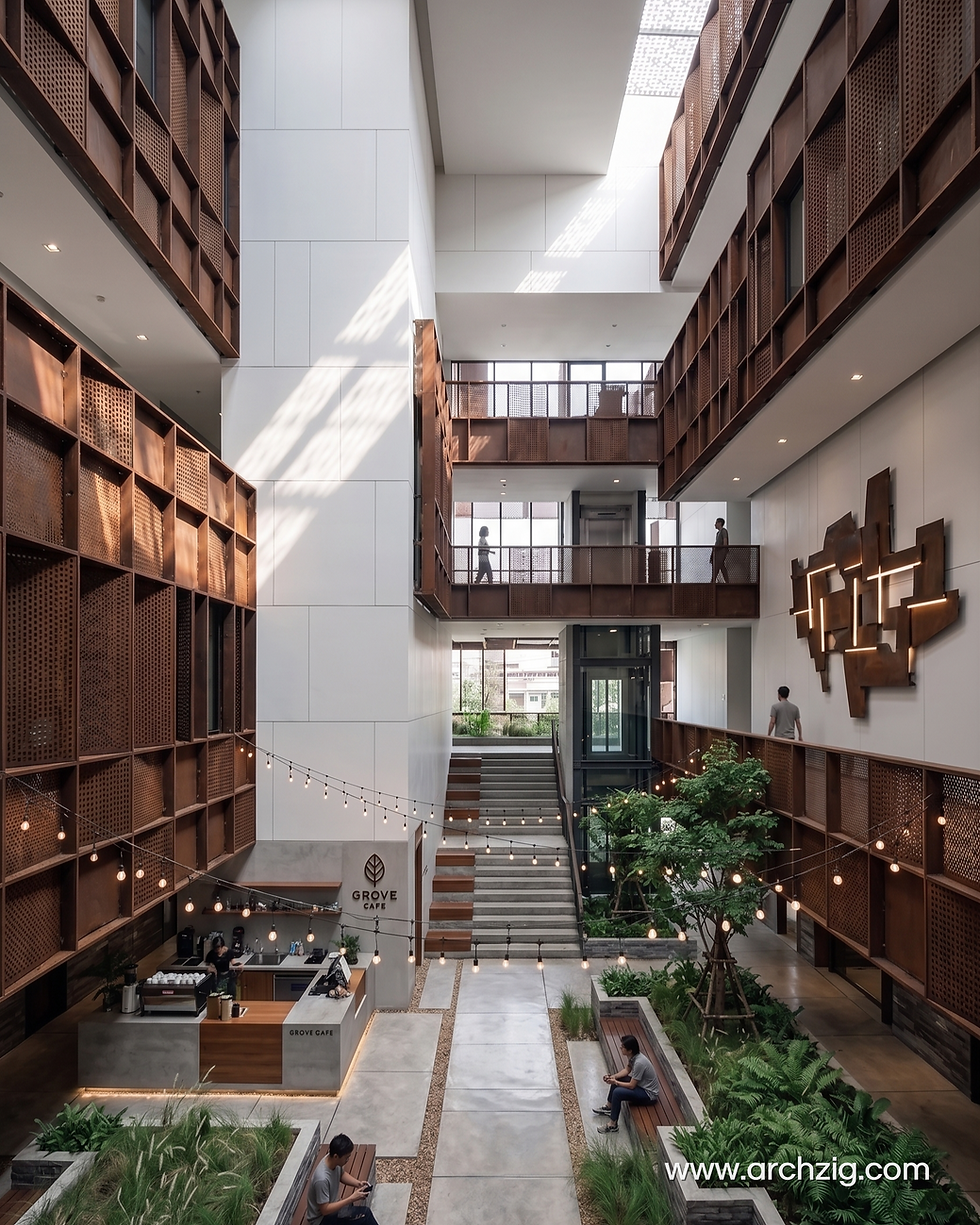
Stair, bridge, and courtyard circulation:
Extend Corten Courtyard Office Building 07.png into a vertical courtyard circulation scene. Preserve the corten panels, white office mass, glass openings, planted lower court, bridge connections, and refined architectural rendering style. Make the stairs and movement path central to the composition.

Courtyard section through work floors: Using Corten Courtyard Office Building 07.png as reference, generate an internal courtyard view of the same office building. Show bridges, stairs, corten wall surfaces, white upper volumes, planted pockets, and a calm professional office atmosphere with soft daylight.
A Simple Prompt Formula
Use this pattern when training yourself to write architectural image prompts: start with the base image, name what must stay the same, ask for one new view, and describe the mood or drawing type.
For example: use this image as reference, keep the Corten facade and courtyard, create an aerial view, and make it look like clean architectural photography. That is enough direction for the AI to stay focused while still generating something new.


Comments